
Exam AB-900: Copilot & Agent Administration Fundamentals

The Exam AB-900: Copilot & Agent Administration Fundamentals is intended for candidates who want to validate their foundational knowledge of Microsoft 365 Copilot, agents, and the administrative environment that supports them. This exam focuses on understanding Microsoft 365 services, administrative tools, and core security concepts required to manage Copilot and agent-related workloads effectively.
– Required Knowledge of Microsoft 365
Candidates preparing for AB-900 are expected to be familiar with Microsoft 365 and its core services. This includes an understanding of how Microsoft 365 supports productivity, collaboration, and secure access across an organization.
You should have baseline knowledge of:
- Microsoft 365 core services
- Security features within Microsoft 365
- Identity and access management concepts
- Data protection and governance capabilities
This foundational understanding is important because Microsoft 365 Copilot and agents operate within the Microsoft 365 ecosystem and rely on these services.
– Understanding Microsoft 365 Copilot and Agents with Microsoft 365 Admin Centers
A key focus of the AB-900 exam is familiarity with Microsoft 365 Copilot and agents. Candidates should understand what Copilot is, how it integrates with Microsoft 365 workloads, and how agents assist users by working within existing Microsoft 365 data and permissions. The exam does not require development skills but expects awareness of how Copilot and agents are accessed, managed, and governed through Microsoft 365 administration.
Candidates must be familiar with the admin centers used to manage Microsoft 365 workloads. You should understand the purpose of each admin center and the type of services it controls. Key admin centers include:
- Exchange Online – for managing email and messaging services
- SharePoint in Microsoft 365 – for managing sites, content, and collaboration
- Microsoft Teams – for managing communication and collaboration features
- Microsoft Entra – for identity, authentication, and access management
- Microsoft Purview – for data protection and governance
– Core Microsoft 365 Objects
The exam also tests your understanding of the core objects used in Microsoft 365. These objects form the basis of access control, collaboration, and content management. You should be able to identify the role of:
- Users
- Groups
- Teams
- Sites
- Libraries
Understanding how these objects are used across Microsoft 365 is essential, as Copilot and agents interact with data stored within these structures.
– Identity and Access Fundamentals
AB-900 requires knowledge of core security features related to identity and access in Microsoft 365. Candidates should understand how users securely access services and data. Key concepts include:
- Authentication methods
- Conditional access policies
- Single sign-on (SSO)
– Security, Data Protection, and Governance Basics
You should also understand the basic security and governance capabilities available in Microsoft 365. This includes how data is protected and how governance controls help organizations manage access and usage across services.
– Experience with AI-Driven Productivity and IT Management
The exam assumes candidates have exposure to AI-driven productivity tools and modern IT management practices. This includes understanding how administrators manage cloud-based services using centralized admin portals and policies. You are not expected to configure advanced settings, but you should understand how AI tools like Copilot fit into modern Microsoft 365 administration.
Exam Details
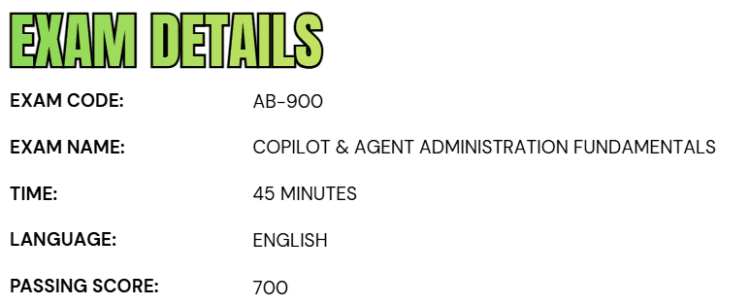
- The Exam AB-900: Copilot & Agent Administration Fundamentals is a beginner-level Microsoft certification designed for individuals in an Administrator role who want to validate their foundational understanding of Copilot and agent administration within Microsoft 365.
- Candidates are given 45 minutes to complete the assessment.
- The exam is currently offered in English and is delivered as a proctored exam, which means candidates may encounter interactive components as part of the testing experience.
- To successfully pass the exam, a minimum score of 700 is required.
Course Outline
The Exam AB-900: Copilot & Agent Administration Fundamentals exam covers the following topics:
1. Understand about identifying the core features and objects of Microsoft 365 services (30–35%)
Identifying the core objects of Microsoft 365 services
- Explaining how license types assigned to users and groups affect access to Microsoft 365 features
- Exploring the organization configurations by using the Microsoft 365 admin center (domain names and org settings)
- Identifying the appropriate objects to configure by using the Exchange Online admin center (mailboxes and distribution lists)
- Identifying the appropriate objects to configure by using the SharePoint in Microsoft 365 admin center (sites, libraries, and folders)
- Identifying the appropriate roles and permissions for sites in SharePoint in Microsoft 365
- Identifying the appropriate objects to configure by using the Teams admin center (teams, channels, and policies)
Understanding the Microsoft 365 security principles
- Explaining the core Zero Trust principles
- Understanding authorization
- Understanding authentication methods
- Understanding threat protection and intelligence
- Understanding features and capabilities of Microsoft Defender XDR
Identifying the core security features of Microsoft 365 services
- Understanding features and capabilities of Microsoft Entra
- Understanding conditional access policies
- Understanding the purpose and benefits of SSO
- Identifying the appropriate security object to use in an organization (users and groups)
- Identifying the appropriate tools to troubleshoot common sign-in issues (multifactor authentication [MFA], conditional access, and risky sign-ins)
- Interpreting Identity Secure Score in Microsoft Entra ID
- Using the appropriate tools to review audit logs for user and admin activity
- Identifying the role of Privileged Identity Management (PIM) in an organization
- Understanding App registrations and Enterprise apps
2. Understanding data protection and governance tasks for Microsoft 365 and Copilot (35–40%)
Understanding Microsoft Purview
- Understanding features and capabilities of Microsoft Purview Information Protection, Microsoft Purview Data Loss Prevention (DLP), Microsoft Purview Insider Risk Management, Microsoft Purview Communication Compliance, Microsoft Purview Data Security Posture Management (DSPM) for AI, and Microsoft Purview Data Lifecycle Management
- Identifying the use cases for sensitivity labels in Microsoft Purview
- Understanding data classification in Microsoft Purview
- Understanding retention
Understanding data security implications of Copilot
- Understand how Copilot accesses data
- Understanding how Microsoft Graph influences Copilot responses
- Understanding how Copilot uses permissions and other controls in Microsoft 365, Microsoft Purview, and Microsoft Defender to protect against risks
- Understand responsible AI principles
Identifying data protection and governance risks for Microsoft 365 and Copilot
- Identifying compliance risks and recommendations by using Microsoft Purview Compliance Manager
- Identify sensitive information by using Microsoft Purview Data Explorer
- Identifying risks by using Insider Risk Management
- Identifying and responding to alerts generated by Microsoft Purview DLP
- Identify policy violations generated by Communication Compliance
- Identifying user activities reported by Microsoft Purview activity explorer
- Discovering and managing AI activity by using DSPM for AI
- Searching for files and emails by using Content search in Microsoft Purview eDiscovery

Identifying and monitoring oversharing in SharePoint in Microsoft 365
- Identifying the tools to troubleshoot oversharing in an organization
- Running a data access governance report in SharePoint
- Understanding features and capabilities of SharePoint Advanced Management, including restricted site access
3. Learn about performing basic administrative tasks for Copilot and agents (25–30%)
Understanding features and capabilities of Copilot and agents
- Comparing the built-in capabilities of Copilot and agents
- Comparing Copilot monthly license model to pay-as-you-go, including SharePoint
- Identifying which Copilot features can be enabled or disabled
- Identifying use cases for Researcher
- Identifying use cases for Analyst
- Identifying use cases for custom agents
Performing basic administrative tasks for Copilot
- Assigning Copilot licenses
- Monitoring and managing Copilot pay-as-you-go billing policies
- Monitoring Copilot usage and adoption, including Copilot Analytics and the Microsoft 365 admin center
- Managing prompts, including saving, sharing, scheduling, and deleting
Performing basic administrative tasks for agents
- Identifying how to configure user access to agents
- Creating an agent
- Understanding approval process for agents
- Monitoring agents, including usage, operational insights, and agent lifecycle, by working with the Microsoft 365 admin center and the Microsoft Power Platform admin center
Exam AB-900: Copilot & Agent Administration Fundamentals FAQs
Microsoft Exam Policies
Microsoft has established a comprehensive set of policies and guidelines to ensure fairness, consistency, and integrity across its certification exams. These policies apply to fundamentals, role-based, and specialty certifications and are designed to promote proper exam preparation and reliable skill validation.
– Retake Policy
Microsoft’s certification retake policy is intended to encourage candidates to adequately prepare between exam attempts. If a candidate does not pass an exam on the first attempt, they must observe a mandatory 24-hour waiting period before retaking the exam. For each subsequent attempt, a 14-day waiting period is required.
Candidates are allowed a maximum of five attempts within a 12-month period, measured from the date of the first exam attempt. If all five attempts are exhausted without achieving a passing score, the candidate must wait 12 months from the initial attempt date before becoming eligible to take the exam again. Once an exam has been successfully passed, it cannot be retaken unless the associated certification has expired. Exam retake fees may apply, depending on Microsoft’s pricing policies.
– Scoring Methodology
Microsoft certification exams use a scaled scoring system ranging from 1 to 1,000, with a minimum passing score of 700 for most technical exams. Because the scoring is scaled, the final score does not represent a fixed percentage of correct answers. Instead, it reflects the candidate’s overall proficiency, taking into account factors such as question difficulty, exam form variations, and required competency levels.
Microsoft Office certification exams also use a 1 to 1,000 scoring scale, although the passing score may vary by exam. This standardized scoring approach ensures consistent, fair, and accurate evaluation of candidate skills across different exam versions and difficulty levels.
Microsoft AB-900 Exam Study Guide
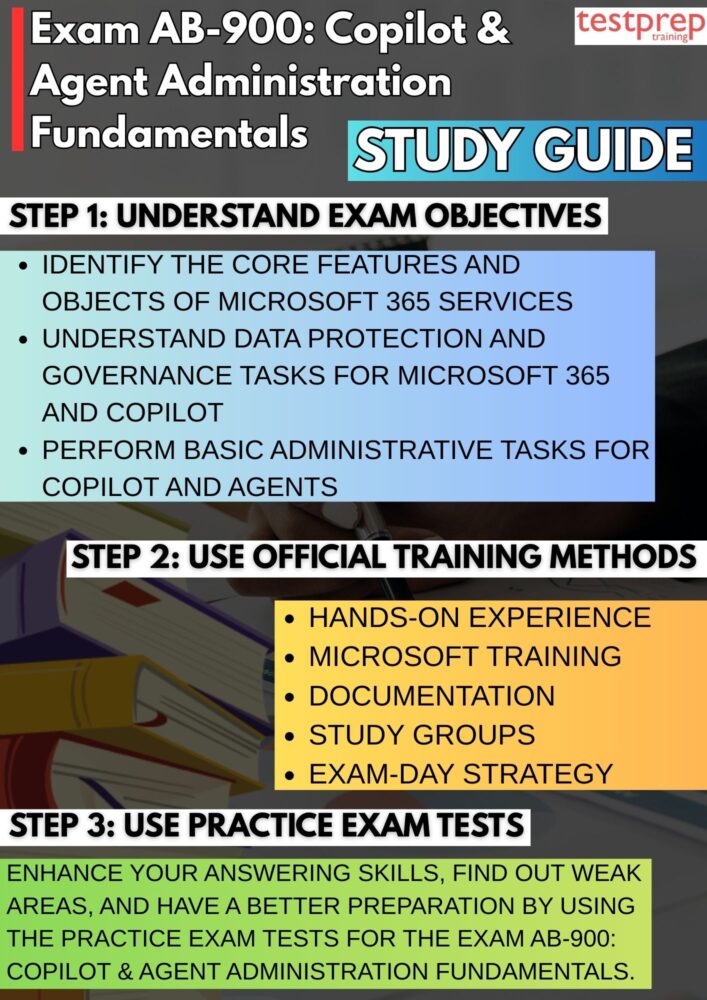
Step 1: Thoroughly Understand the Exam Guide and Objectives
Begin your preparation by carefully reviewing the official Exam AB-900 guide, as it defines the scope, structure, and expectations of the assessment. The exam guide clearly outlines the skills measured and the knowledge areas candidates are expected to understand. By analyzing these objectives, you can identify the topics that carry the most importance and align your preparation accordingly. This step helps ensure that your study efforts remain targeted, structured, and relevant, preventing unnecessary focus on areas that are not assessed in the exam.
Step 2: Build Conceptual Understanding Through Structured Learning
A strong conceptual foundation is essential for success in AB-900. This exam emphasizes understanding how Copilot and agents function within the Microsoft 365 environment rather than technical implementation. Candidates should focus on learning how administrative components, security features, and governance controls support AI-driven productivity. Structured learning ensures that concepts are absorbed logically, allowing you to understand relationships between services, administrative roles, and Copilot functionality within Microsoft 365.
Step 3: Combine Knowledge with Practical Experience
While AB-900 is an entry-level certification, practical exposure plays a crucial role in reinforcing learning. Spending time exploring Microsoft 365 admin centers helps you understand how administrative interfaces are organized and how different services are managed. Observing how users, groups, and workloads are configured strengthens your ability to relate exam questions to real-world administrative scenarios. This combination of theory and practice enhances comprehension and builds confidence for the exam.
Step 4: Gain Practical Experience to Expand Administrative Insight
Hands-on experience allows you to deepen your understanding of Microsoft 365 administration concepts covered in the exam. Navigating through admin portals, reviewing service settings, and understanding administrative controls provide clarity on how Copilot and agents operate within defined permissions and policies. This experience is valuable for recognizing how administrative decisions affect Copilot availability, data access, and user experience, all of which are essential themes in AB-900.
Step 5: Utilize Microsoft Official Training for Exam Alignment
Microsoft’s official training resources are specifically designed to match certification requirements. These training modules present exam-related topics in a clear, role-based format, ensuring candidates understand both the purpose and usage of Microsoft 365 services. Using official training materials helps eliminate ambiguity, as the content reflects Microsoft’s terminology, service behavior, and administrative perspective. This alignment increases confidence and accuracy during the exam. However, the training course includes:
– Course AB-900T00-A: Introduction to Microsoft 365 and AI Administration
The AB-900T00-A course delivers a structured introduction to Microsoft 365, Microsoft 365 Copilot, and AI-powered agents, focusing on the fundamental concepts required to understand and manage these technologies. The course begins by establishing a strong foundation in Microsoft 365 core services and administrative principles, enabling learners to understand how the platform supports secure collaboration and productivity.
Building on this foundation, the course explores how Copilot and agents leverage artificial intelligence to assist users across Microsoft 365 workloads. Learners gain insight into how AI can help automate routine tasks, improve collaboration efficiency, and support more personalized user experiences—while operating within existing administrative, security, and governance controls.
This course is intended for beginner-level IT professionals and new administrators who want to develop a foundational understanding of Microsoft 365 and Microsoft 365 Copilot. It introduces essential components, concepts, and capabilities in a clear and accessible manner, without assuming prior hands-on experience. By the end of the course, learners will have the knowledge needed to confidently navigate Microsoft 365 services and understand the administrative context in which Copilot and agents are used.
Step 6: Reference Microsoft Documentation for Accuracy and Clarity
Microsoft documentation serves as the authoritative source for understanding Microsoft 365, Copilot, and agent administration concepts. Reviewing documentation allows candidates to clarify definitions, administrative responsibilities, and service interactions. It also helps reinforce understanding of identity, access, and governance features. Consistent reference to documentation ensures your knowledge remains precise and aligned with Microsoft’s official guidance.
Step 7: Strengthen Learning Through Study Groups and Communities
Engaging with certification-focused study groups and professional communities provides valuable learning reinforcement. These communities allow candidates to discuss exam topics, share preparation strategies, and gain insights from others who are following the same certification path. Peer discussions often help clarify complex concepts and provide practical context, improving retention and overall understanding.
Step 8: Validate Exam Readiness Using Practice Tests
Practice tests are essential for evaluating your preparedness for the AB-900 exam. They help you become familiar with question formats, difficulty levels, and time management requirements. Analyzing practice test results allows you to identify knowledge gaps and refine your study approach. Consistent practice improves confidence and ensures you are well-equipped to meet the exam’s passing criteria.
